 hamster-bot
 Testing trading strategies on historical data
A reliable portfolio backtest. Quant-research level 
 first run of the tester
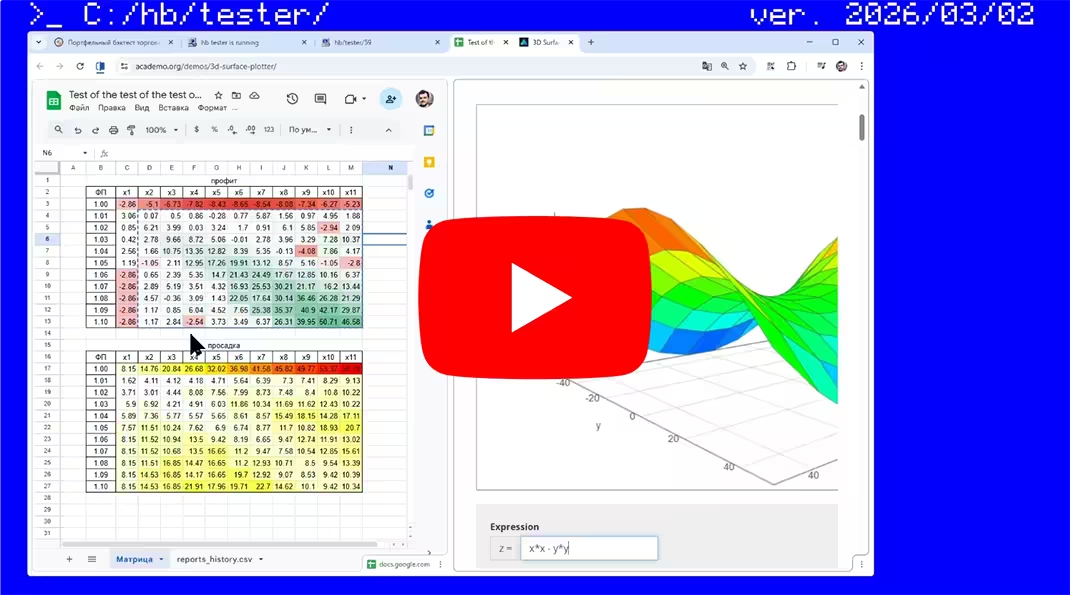 update overview and parameter
optimizer
update overview and parameter
optimizer
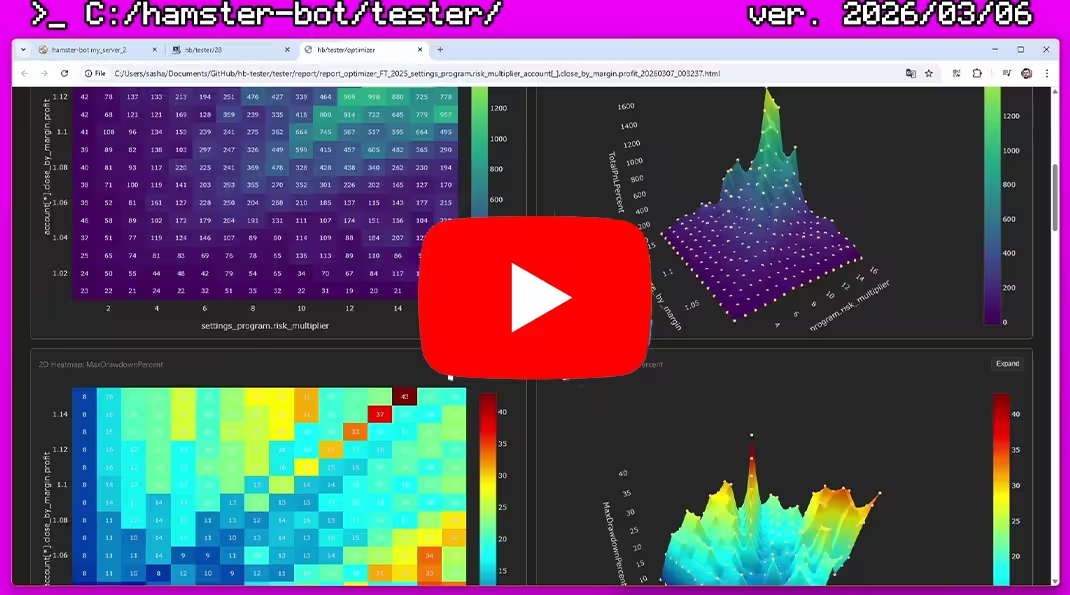 Sweep and analysis. building heatmaps and
3d surface
Sweep and analysis. building heatmaps and
3d surface
 instructions for running tests. sweeping trading pairs
hamster-bot/tester - An advanced tool for testing your trading systems on historical data.
- Runs several strategies of different types on different timeframes at the same time.
- All with a shared balance. To understand how strategies coexist on a single wallet in real time.
- Support for tick data. Simulates strategy behavior inside a candle just like real-time trading.
- No limits on input market data. Testing over any historical period.
- Testing your own complex logic that can't be accurately tested with off-the-shelf third-party solutions without workarounds.
- Backtests run on the same production code the bot uses in real time.
 Backtester features:
Implemented as a separate connector  to an "exchange" (a mock object replacing the exchange). This way, all the bot's
already-written code can be tested. The bot thinks it's working on a real exchange (places orders, gets balance and
position info). And this virtual exchange stub calculates everything and generates the report.
to an "exchange" (a mock object replacing the exchange). This way, all the bot's
already-written code can be tested. The bot thinks it's working on a real exchange (places orders, gets balance and
position info). And this virtual exchange stub calculates everything and generates the report.
 Market data for
testing
Market data for
testing
Crypto exchanges publicly share historical market data. Examples:
public.bybit.com, data.binance.vision, public.bitmex.com.
The tester downloads the needed data range itself and builds bars for the bot. Before the start of the test the tester
downloads a bit more data, so all the TA indicators for the strategy warm up before the testing
period begins.
Data is saved in the  folder
 tester/data/{exchange}/{symbol}. You can drop your own
data into this folder in CSV format.
There is a file run_download_data.bat in the bot's folder. It runs the bot with the --download-data flag, and in this mode the tester just downloads all the needed data.
Automatic market data download is implemented for spot and futures on the exchanges: BYBIT, BINANCE, MEXC.
The exchange is set in the settings file: settings.exchange.name = "binance"
 Tester
behavior
Tester
behavior
From the bot's point of view, the tester is just another exchange. The bot connects to it and starts receiving bars,
placing orders, etc. Meanwhile the tester simply emulates the behavior of a real exchange.
Balance is shared across all strategies. Behaves like BYBIT/BINANCE futures with cross margin. The bot can
request the Wallet or Margin balance. The Margin balance is calculated accounting for all
open positions and their unrealized PnL.
Realistic price behavior. When the bot requests the current unfinished candle, the tester returns the trade price from
tick data (and keeps doing so until the market data inside the candle runs out, then moves to the next candle). This way
strategies that depend on the price movement inside a candle (e.g. slippage, trailing stops, etc.) work
correctly.
 Report
Once testing is finished, a detailed HTML report is saved to the folder tester/report.
And a record is added to reports_history.csv with summary information about the test, for easily
finding the best parameter combinations when optimizing strategies.
-
Report contents:
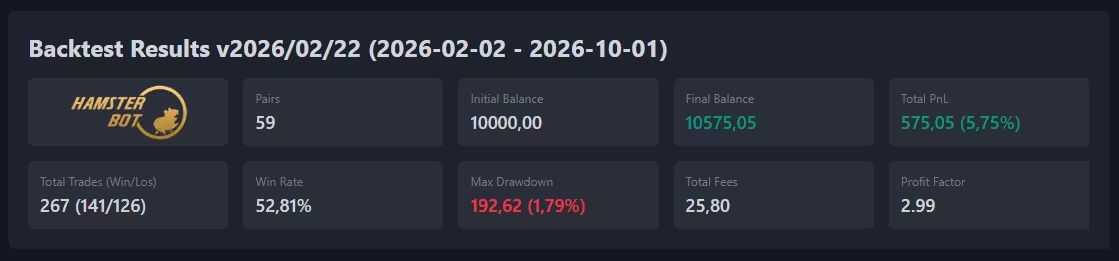
- Overall metrics for the whole trading system:
- Starting and ending balance
- Total profit/loss in USDT and %
- Maximum drawdown
- Number of trades
- Percentage of profitable trades
- Profit Factor
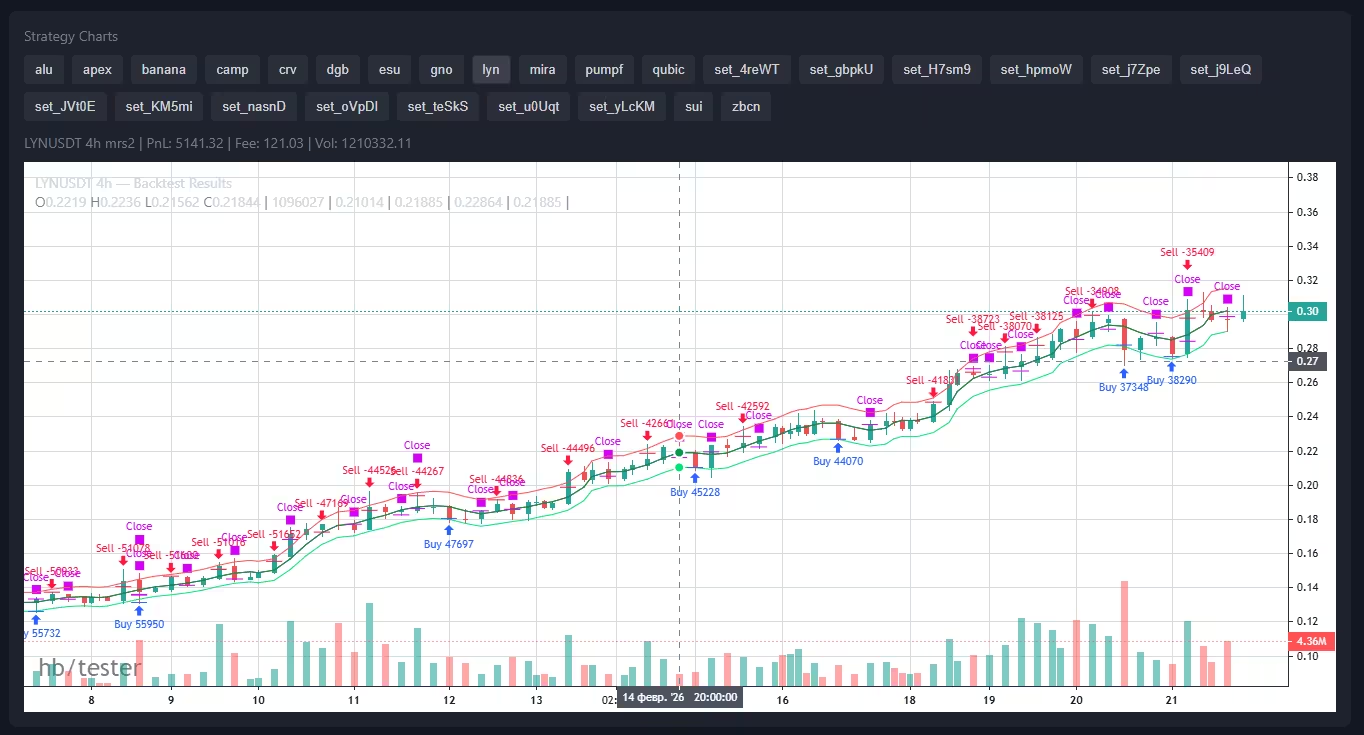
- Separate candlestick charts for each strategy. With trade markers and TA visualization for the strategy.
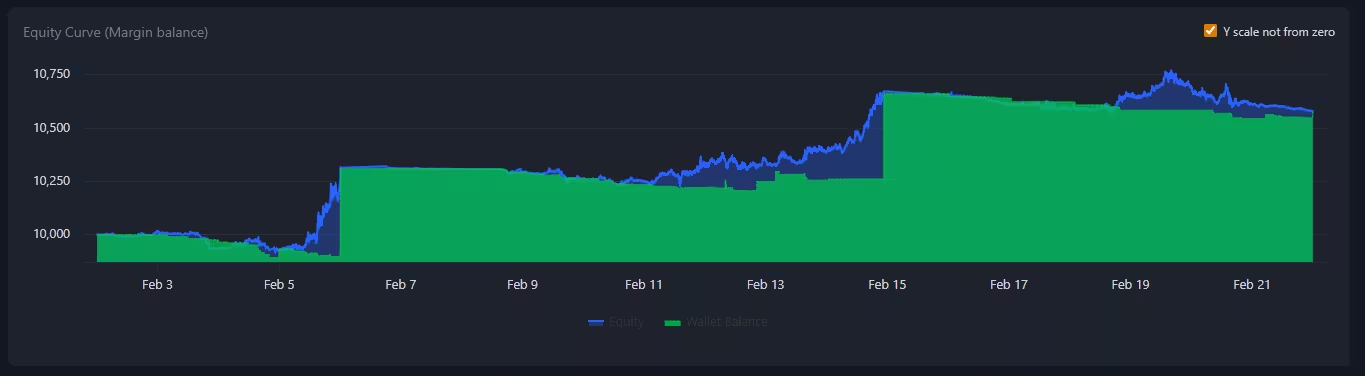
- A chart of the Margin balance (accounting for all open positions and unrealized PnL) and Wallet balance.
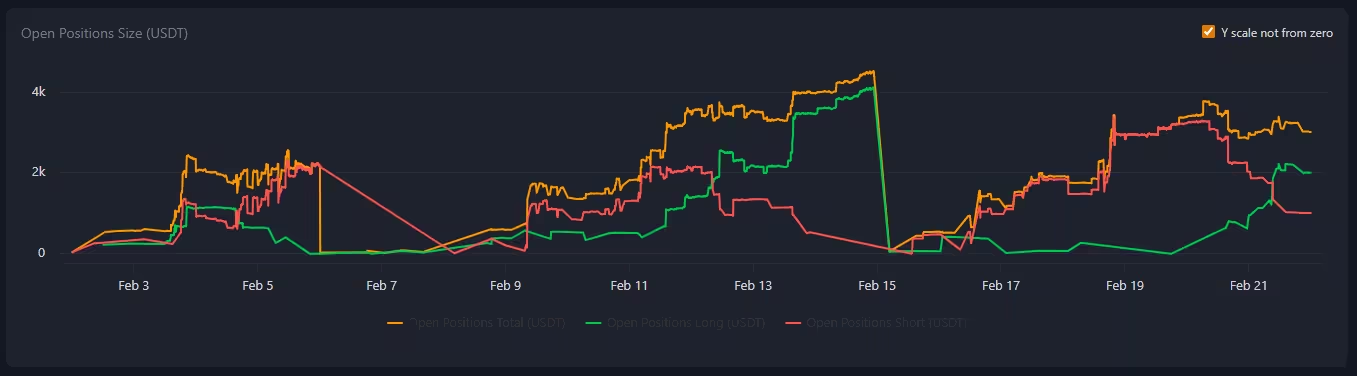
- A chart showing the total size of open positions in USDT (and a line on a separate axis in % showing
the ratio of open position size to the Margin balance)
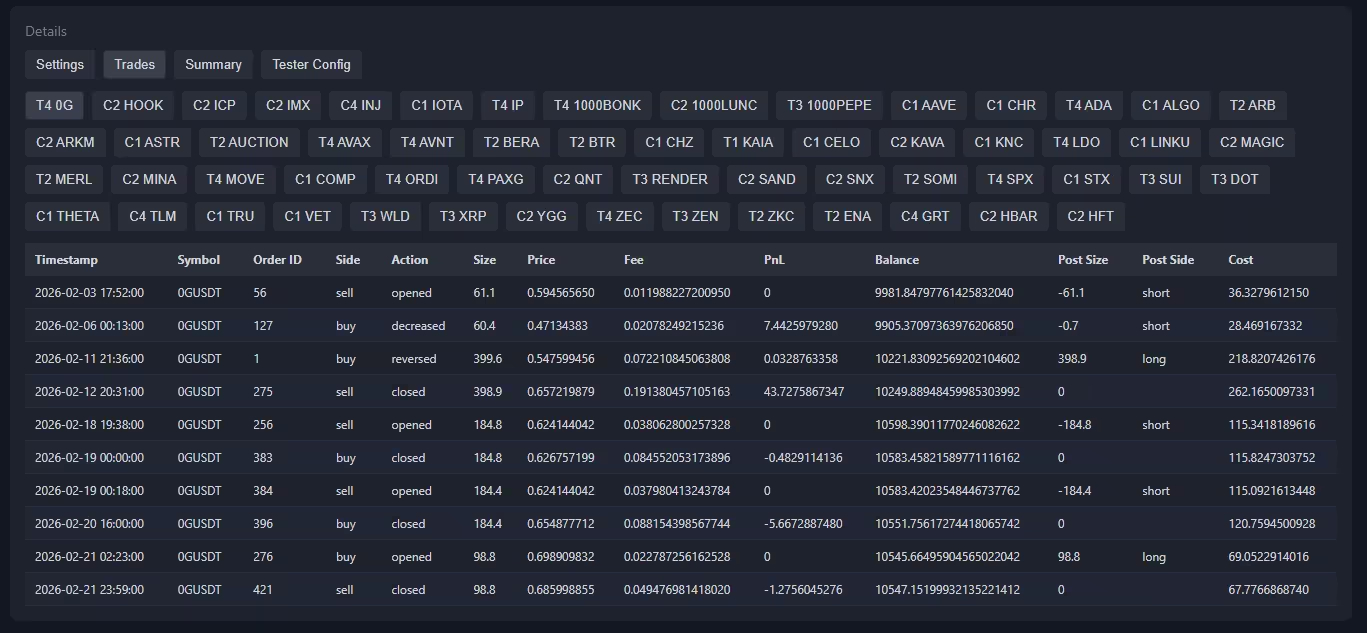
- Tables listing all trades for each strategy.
- A list of strategy settings and tester parameters
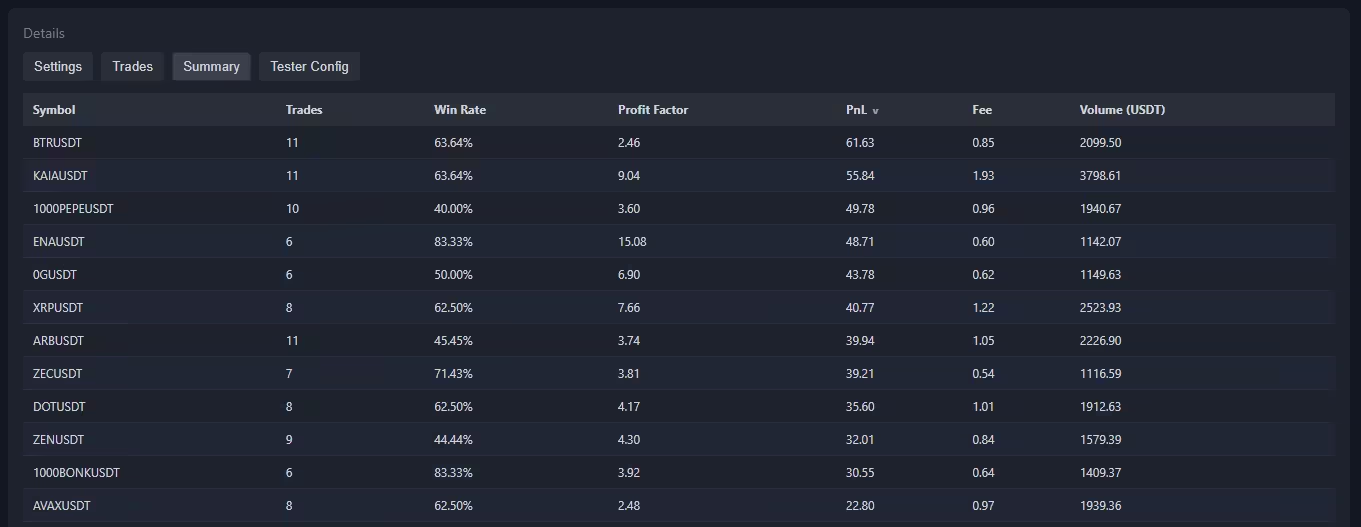
- Summary information for all strategies. Trading volume and fees paid.
 Tester
parameters
Tester
parameters
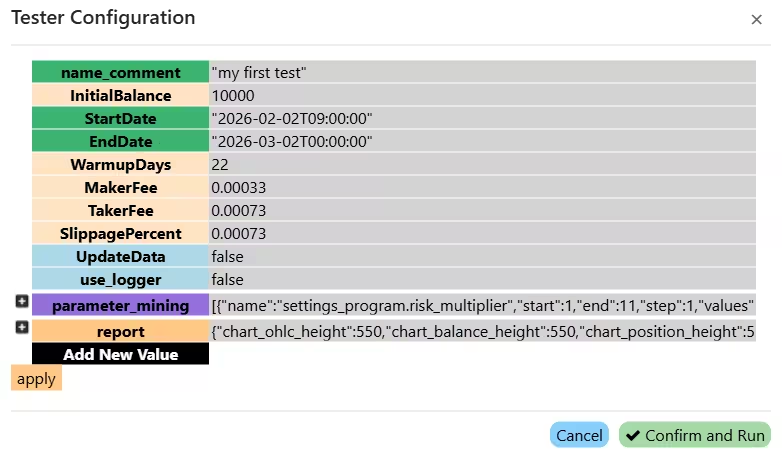
file: config_tester.json You can edit the file in a text editor.
name_comment - a comment for the test. To make it easier to navigate reports.
InitialBalance - the starting balance for testing, in USDT
StartDate - the test start date in the format 2026-02-03T00:00:00
EndDate - the test end date in the format 2026-02-13T00:00:00
WarmupDays - number of days to warm up before testing begins
MakerFee - maker fee (0.0001 = 0.01%) Standard on BYBIT: 0.00036 = 0.0360%.
(a guide on how to significantly reduce fees)
TakerFee - taker fee (0.0001 = 0.01%) Standard on BYBIT: 0.001 = 0.1000%
SlippagePercent - slippage for market orders (0.0001 = 0.01%)
limit_order_volume_check - Volume check for correct execution of limit orders. On each tick the tester checks the volume and fills the order bit by bit until it's done or the volume runs out
FundingRate - Funding rate size (0.00025)
FundingIntervalHours - Funding rate update interval in hours (8)
UpdateData - update data before testing (true/false)
use_logger - whether to use the logger. If off, testing runs faster (true/false)
max_parallel_runs - number of parallel tester runs when sweeping parameters. If the
computer's performance allows it, processes can be parallelized without losing calculation speed.
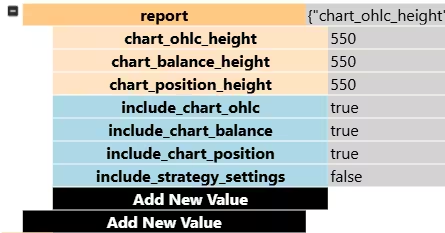
file: config_tester.json/report Report content settings:
chart_ohlc_height - OHLC chart height in pixels
chart_balance_height - balance chart height in pixels
chart_position_height - open position size chart height in pixels
include_chart_ohlc - include the OHLC chart in the report (true/false)
include_chart_balance - include the balance chart in the report (true/false)
include_chart_position - include the open position size chart in the report (true/false)
include_strategy_settings - include strategy settings in the report (true/false)
 Optimizer
(parameter sweep)
Optimizer
(parameter sweep)
file: config_tester.json/parameter_mining Optimizer (parameter sweep) settings:
By default this is an empty list []. The list is filled with values like
{"name":"parameter_name_to_sweep", "start": 1, "end": 10, "step": 0.1, "values": ["strng1", "string2"]}
name - the name of the parameter to sweep. You can enter any bot setting. The bot has 4
kinds of config in total.
1) Strategy settings (.json files in the settings_strategy folder). Here we configure: the trading pair,
the timeframe, deposit handling, and which strategy runs with which settings.
Example: settings[*].mrs2.ma_long.type - sweeps the type parameter of the opening order
for the mrs2 strategy
2) API key settings (.json files in the settings_accounts folder). Here we configure the account-wide
take profit by margin balance or the limit on the number of simultaneously open positions.
Example: account[*].close_by_margin.profit - sweeps the profit parameter of the
close_by_margin option
3) General bot program settings (the settings_program.json file). Here we configure the overall lot size
multiplier risk_multiplier
Example: settings_program.risk_multiplier - sweeps the risk_multiplier parameter
4) General tester settings (config_tester.json files). Here we configure the tester's parameters. For example
you can run tests with different fee levels.
Example: config_tester.MakerFee - sweeps the MakerFee parameter
start - starting value of the parameter
end - ending value of the parameter
step - step size for the parameter
values - a list of values to sweep (strings). Used for string parameters.
For example, for the moving average type the available values are:
["SMA", "EMA", "GMA", "HARMONIC", "TEMA", "DEMA", "ZLEMA", "WMA", "VWMA", "RMA", "EHMA", "THMA", "HMA", "DMA", "ATR", "H", "L", "SMA_KALMAN", "EMA_KALMAN", "GMA_KALMAN", "HARMONIC_KALMAN", "TEMA_KALMAN", "DEMA_KALMAN", "ZLEMA_KALMAN", "WMA_KALMAN", "VWMA_KALMAN", "RMA_KALMAN", "EHMA_KALMAN", "THMA_KALMAN", "HMA_KALMAN", "DMA_KALMAN", "ATR_KALMAN", "H_KALMAN", "L_KALMAN"]
For the price source:
["open", "high", "low", "close", "hl2", "hlc3", "ohlc4", "hlcc4", "oc2"].
For sweeping a list of trading pairs - see Example 1.
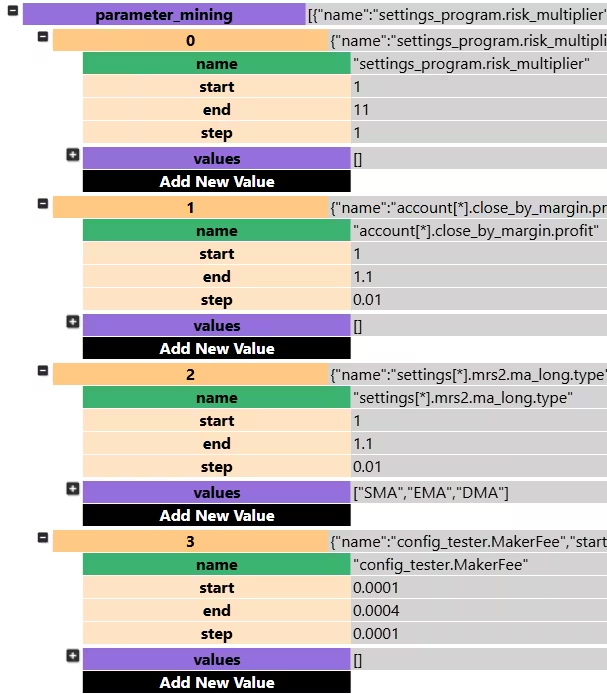
If you set two parameters to sweep, for example from 1 to 10 with a step of 1, 100 runs will be
performed (10 variants of the first parameter * 10 variants of the second parameter). The results of all tests are saved as
separate html reports and in a summary table (reports_history.csv). This lets you quickly find the best
combinations of parameters for your strategies.
Example 1: sweeping trading pairs
parameter_mining is a list ([]) to which sweep objects are added, separated by
commas ([{}, {}]).
To sweep trading pairs, use the string parameter values, while the numeric fields
start/end/step are set to 1.0 (they are ignored when
values is not empty).
The parameter settings[*].basic.symbol will be applied to all settings files in the
settings_strategy folder:
"parameter_mining": [
    {
        "name": "settings[*].basic.symbol",
        "start": 1.0,
        "end": 1.0,
        "step": 1.0,
        "values": [
            "1000BONKUSDT", "1000FLOKIUSDT", "1000LUNCUSDT",
            "1000NEIROCTOUSDT", "1000PEPEUSDT", "1000TAGUSDT",
            "4USDT", "AAVEUSDT", "ACHUSDT", "ADAUSDT"
        ]
    }
]
Result: the tester will run the test in turn for each of the 10 pairs.
Example 2: sweeping several parameters at once
Let's add, on top of sweeping pairs, a sweep of the take-profit % value — from 0% to 10% in steps of 0.5 (21 values in total).
Number of combinations: 10 pairs × 21 values = 210 runs.
"parameter_mining": [
    {
        "name": "settings[*].basic.symbol",
        "start": 1.0,
        "end": 1.0,
        "step": 1.0,
        "values": [
            "1000BONKUSDT", "1000FLOKIUSDT", "1000LUNCUSDT",
            "1000NEIROCTOUSDT", "1000PEPEUSDT", "1000TAGUSDT",
            "4USDT", "AAVEUSDT", "ACHUSDT", "ADAUSDT"
        ]
    },
    {
        "name": "settings[*].options.take_profit_long",
        "start": 0,
        "end": 10.0,
        "step": 0.5,
        "values": []
    }
]
Example 3: setting up a sweep
Video walkthrough
All the bot's strategies are also available in PineScript format for testing on TradingView.